


Select Your Jurisdiction
Currently selected: Cayman Islands|








































































































































LEI Manager — One Dashboard for Every LEI You're Responsible For
Register, renew, transfer and report on Legal Entity Identifiers at scale. Whether you're managing LEIs for one growing portfolio or hundreds of client organizations, LEI Manager gives you a single, secure place to do it, backed by LEI System, a GLEIF-accredited LEI agent.


LEI System is an official LEI Registration Agent
Latest LEIs issued:
98450079C9148C2F5B36 |  KOTZILLA

Ubisecure RapidLEI is the world’s largest GLEIF-accredited issuer of LEI Codes.
LEI System is an official agent of RapidLEI.
Why Teams Choose LEI Manager

Manage Hundreds of LEIs Like One
Bulk upload as many new LEI registrations as you like in a single spreadsheet, no repeating the same form hundreds of times.
Cut Renewal Admin to Minutes
Renew 1-5 years at once, and let proactive expiry tracking and automated reminders mean you never lose an LEI to lapse.
Switch Providers for Free
Import LEIs from any other LOU at no cost, with GLEIF Lookup pre-filling the transfer form for you.
Prove Compliance, Not Just Claim It
A complete, exportable audit log and a portfolio you can export to Excel at any time mean every action is documented, not just assumed.
From Sign-Up to a Fully Managed Portfolio, in Four Steps

Create your account
Sign up and set up two-factor authentication to secure access to your portfolio.


Bring your LEIs into one place
Register new LEIs individually or in bulk, or import existing LEIs from another provider, GLEIF Lookup pre-fills the data for you.

Manage everything from your dashboard
Track renewals, submit transfers, update entity data, and monitor status across your entire portfolio, all from one screen.

Report and stay audit-ready
Generate on-demand or scheduled reports, download certificates and badges, and export a full audit trail whenever you need it.
Built for Teams Managing LEIs, Not Just a Single LEI
If you're only ever registering one LEI for your own company, our standard Register LEI page is all you need. LEI Manager is built for a different job: B2B relationships where one organization manages LEIs on behalf of, or across, multiple legal entities.
- Company formation agents
- Compliance & KYC teams
- Fund administrators
- Banks & fintechs
- Crypto & digital assets
- Resellers & partners

Corporate service providers and company formation agents
Registering and renewing LEI numbers for dozens of client entities at once. Bulk-register and bulk-renew across your entire client base, and keep each client's portfolio cleanly separated with isolated sub-partner accounts.

Compliance, KYC and KYB teams
Who need fast, verified entity and ownership data to support onboarding, due diligence and AML screening. Access verified Level 1 and Level 2 entity data on demand, and rely on a full audit log to support due-diligence reviews.

Fund administrators and asset managers
Tracking LEI status and renewal dates across large, ever-changing portfolios that must meet AIFMD and SFTR reporting obligations. Track expiry dates and renew across large, multi-entity portfolios in one place, with multi-year renewal to reduce recurring admin.
A Purpose-Built Platform for Managing LEIs at Scale
LEI Manager is a web-based platform that connects directly to the RapidLEI API and the GLEIF global register, letting you handle the entire LEI lifecycle without leaving one dashboard. Instead of registering, renewing and tracking LEI codes one at a time through separate requests, LEI Manager brings registration, renewal, transfer, reporting and portfolio oversight into a single system built for teams handling more than one entity. It's designed for two overlapping realities of B2B LEI work: volume (registering or renewing dozens or hundreds of LEIs at once) and structure (multiple team members, multiple client organizations, and a need to prove exactly who did what, when). Every order, renewal and transfer you submit is tracked from submission through to GLEIF issuance, with live status updates synced directly from RapidLEI.
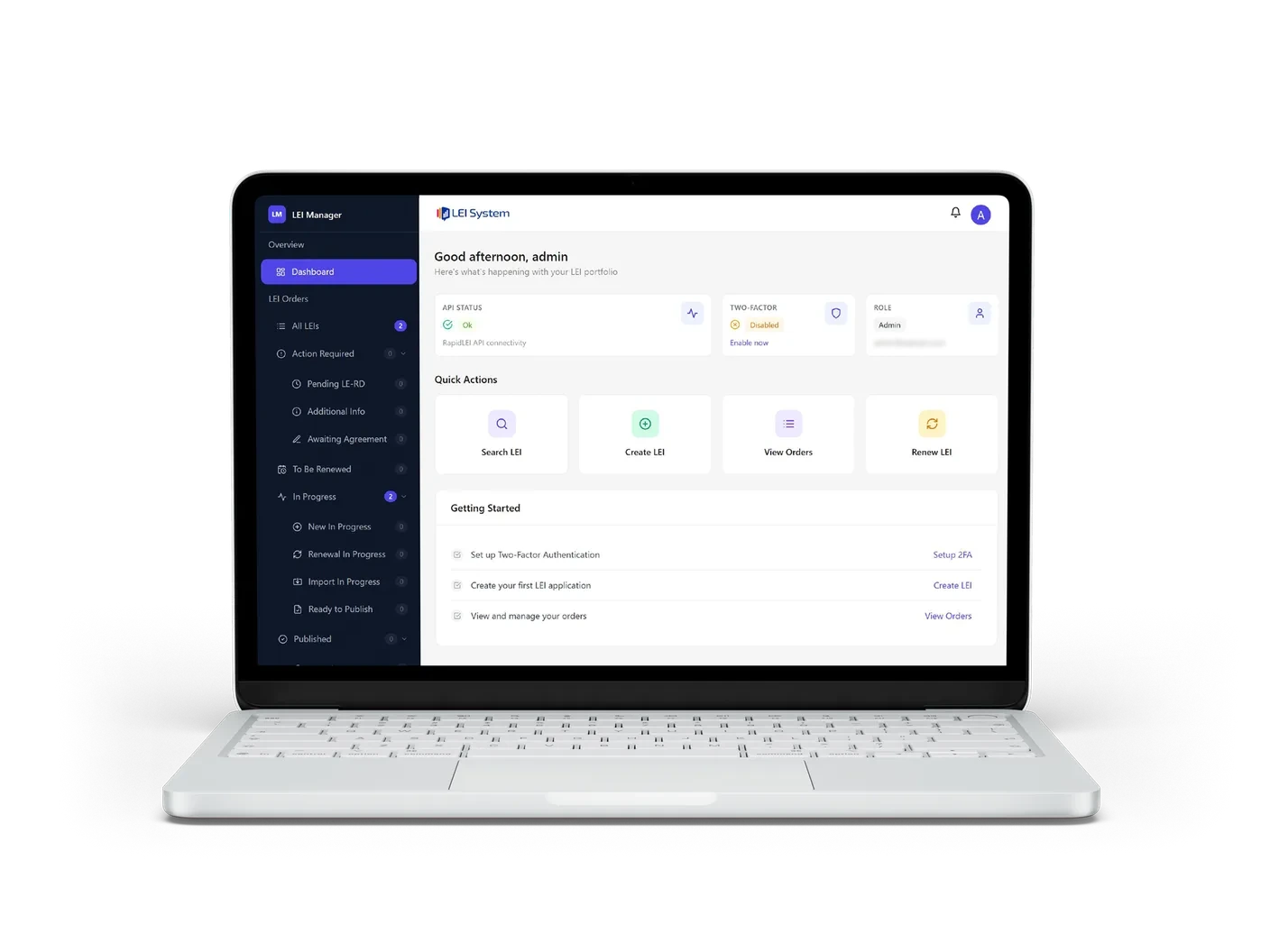
Everything You Need to Manage LEIs at Scale
Registration & Bulk Onboarding
Register a single LEI through a guided three-step wizard, find the company, confirm order details, submit with supporting documents, or register any number of companies at once with Bulk Upload, using a simple Excel template with row-by-row results and error handling. There is no row limit, and the file is processed in the background, so you can close the page and be notified when it finishes. GLEIF Lookup lets you search the entire global LEI register and pre-fill an import in one click if you're transferring a company that already has an LEI.
For corporate service providers and company formation agents onboarding batches of new client entities, Bulk Upload turns a task that would otherwise take hours of repeated form-filling into a single spreadsheet upload.
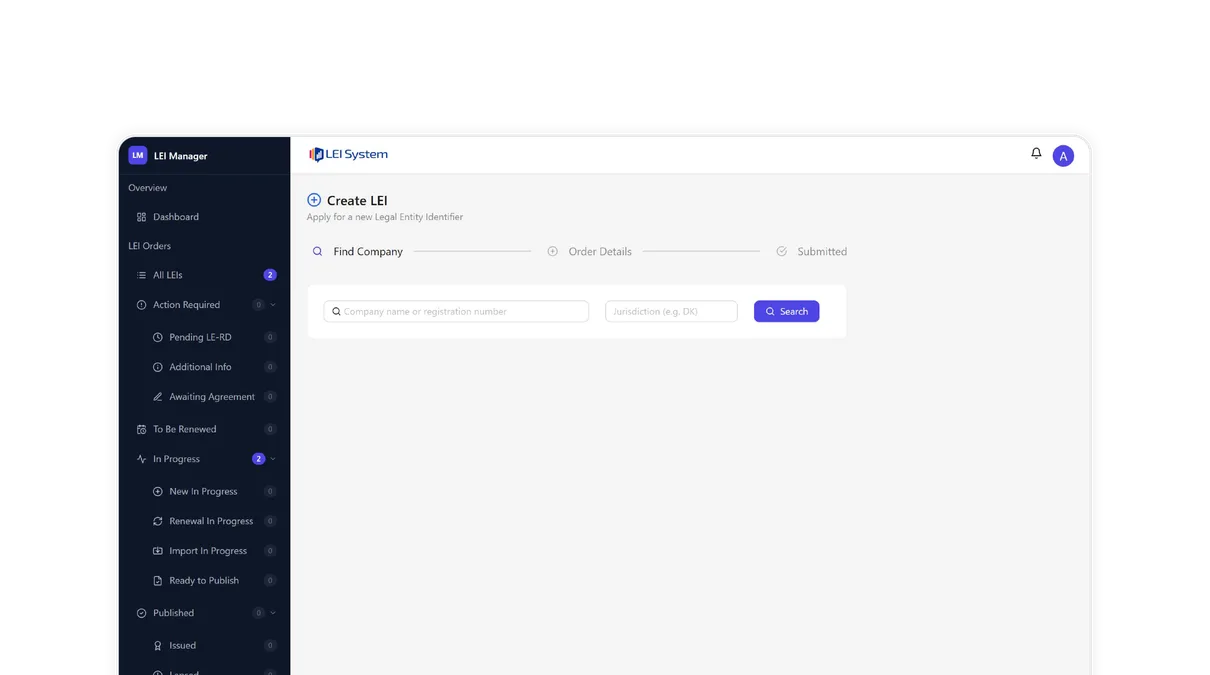
Renewal & Lifecycle Management
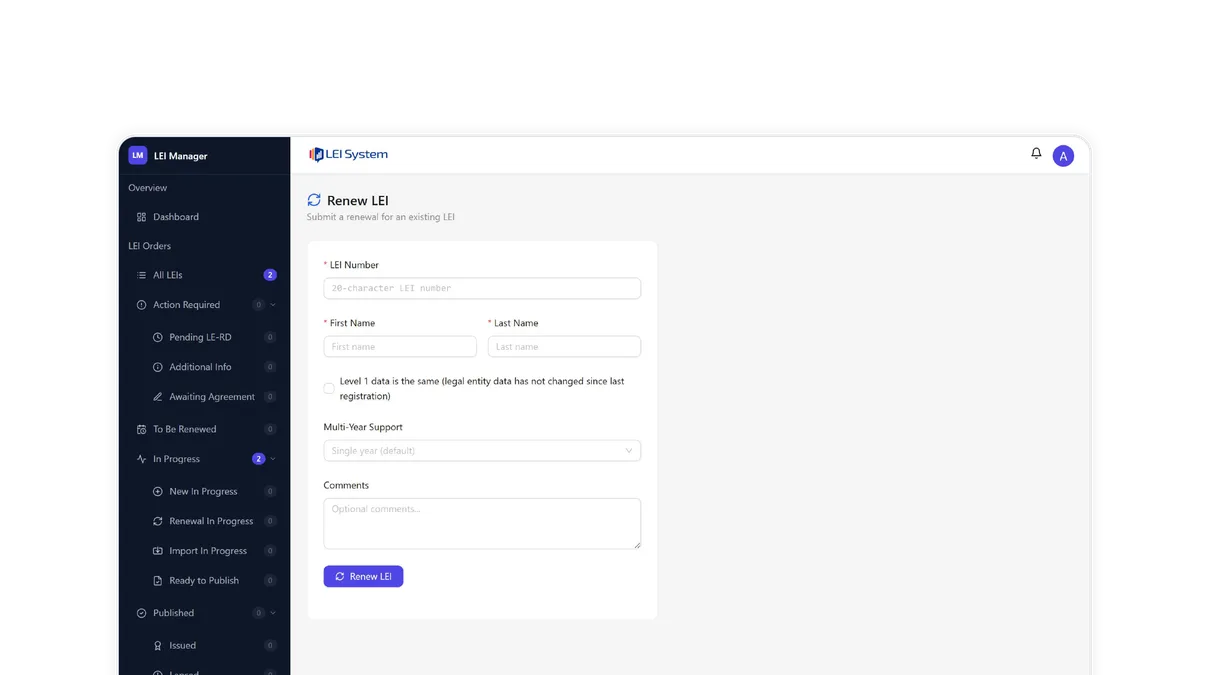
Renew a single LEI in seconds, or commit to a multi-year renewal (1-5 years) so a portfolio doesn't need annual attention at all. Two dedicated tools, a "To Be Renewed" sidebar view and a configurable lookahead search, help you proactively find every LEI approaching expiry, with automated email reminders sent before any code lapses.
For fund administrators and asset managers, where a single lapsed LEI can mean a fund can't execute a trade, proactive renewal tracking across an entire portfolio is the difference between a routine task and a compliance incident.
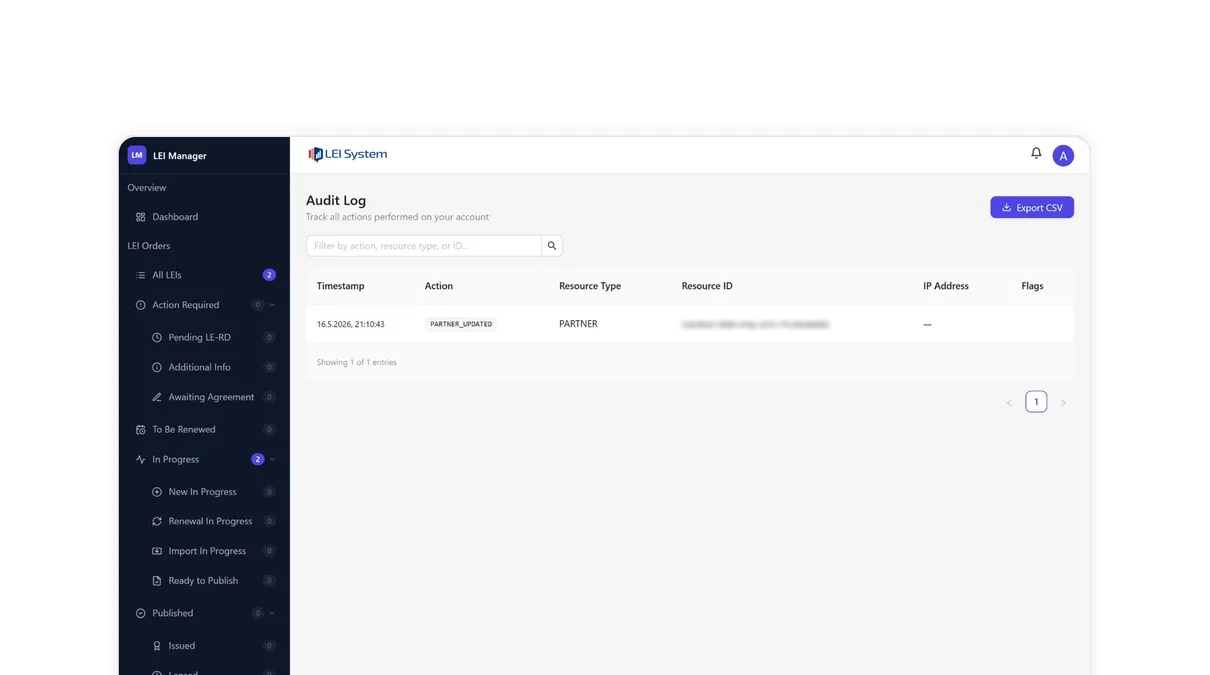
Data, Compliance & Reporting
Every LEI carries Level 1 data, answering "who is who": legal name, address and registration details. Where required, it also carries Level 2 data, answering "who owns whom": direct and ultimate parent, ownership structure, increasingly required under regulations like MiFID II, EMIR and SFTR. A complete, exportable Audit Log records every action taken in your account, supporting AML and KYC risk-screening workflows, and the portfolio dashboard and Excel export give your team and your auditors the current position on demand, with renewal reminders sent automatically.
For KYC, KYB and compliance teams, Level 2 ownership data and a verifiable audit trail turn LEI Manager from a registration tool into a genuine part of your due-diligence and regulatory reporting process.
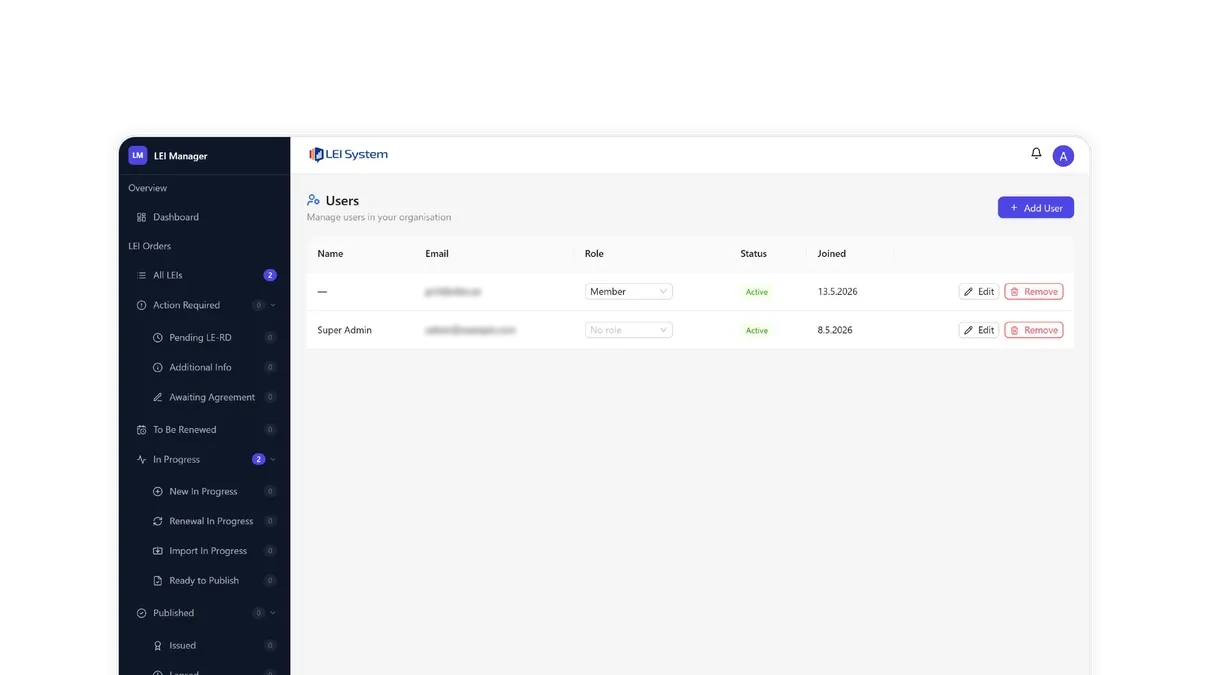
Team, Reseller & Integration Tools
Assign team members the Owner, Admin or Member role, or build a role of your own from the individual permissions, to control who can register, renew, edit, delete or simply view orders. Create fully isolated sub-partner accounts to manage LEIs for separate client organizations under one master account, each with its own users, orders and settings, invisible to one another. White-label the entire platform with your own logo, brand colour and custom domain, and connect it directly to your own systems using the developer API.
For resellers, partners, and banks or fintechs looking to embed LEI verification directly into their own onboarding flow, the API and white-label options mean LEI Manager can operate as invisible infrastructure behind your own product, not a separate tool your team has to context-switch into.
FAQ
Can I manage LEI portfolios for multiple client organizations from one account?

Yes. Sub-partner accounts let you keep each client organization fully isolated under one master account, with its own users, orders and settings, invisible to the others. You keep a single login and an overview of everything, while each client's portfolio stays cleanly separated.
What roles can I give my team, and what does each one allow?
Three roles come as standard. An Owner has everything, including billing, sub-partners and account settings. An Admin runs the day-to-day portfolio and manages users, but not the account itself. A Member works on LEIs — registering, renewing, importing and editing — without touching users or settings. You can also create your own roles and tick exactly the permissions they should carry, down to whether they may delete an order, e-mail a customer or see the audit log. Every one of these is enforced by the server, not only hidden in the interface.
How many LEIs can I register in a single bulk upload, and what happens if some rows fail?
There is no row limit — an upload of a few entities and an upload of several thousand are handled the same way. The file is processed in the background, so you can leave the page and you are notified when the job finishes. Each row is processed and reported on its own, so a row with missing or invalid data is flagged with the reason while every valid row continues. You correct the rows that failed and upload them again, rather than starting the whole batch over.
Can I renew multiple years at once instead of renewing annually?
Yes. Any LEI can be renewed for one to five years in a single step, so a portfolio does not need annual attention at all. Multi-year renewal is the simplest way to cut recurring admin across a large number of entities.
Is there an API, and what can I build with it?
Yes. The developer API covers registration, renewal, transfer and status, so you can connect LEI Manager directly to your own systems — for example issuing an LEI as part of your own client-onboarding flow, or keeping entity data in your CRM in step with the global register.
Can I white-label LEI Manager under my own brand and domain?
Yes. An account with permission to manage settings can configure your own logo, brand colour and a custom domain of your own, so your clients interact with LEI Manager as an extension of your brand. We verify the domain and give you the exact DNS records to add.
What data is included in Level 2 reporting, and when do I need it?
Level 2 data answers "who owns whom": the direct and ultimate parent of an entity and the ownership structure between them. It is required where an entity has a parent that prepares consolidated financial statements, and it is increasingly expected under reporting regimes such as MiFID II, EMIR and SFTR.
Is there a full audit trail of actions taken in my account?
Yes. The Audit Log records every action taken in the account — who did what, to which entity, and when — and it can be exported in full. It is designed to be handed to an auditor or used as evidence in a due-diligence review, rather than read only on screen.
Can I generate compliance or activity reports automatically?
The portfolio dashboard gives you the figures on screen at any time, and the full order list can be exported to Excel with whatever filters you have applied. Renewal reminders are the part that runs on its own: they are sent automatically, by e-mail and in the portal, so an expiring LEI does not depend on anyone remembering to check. Certificates and badges for individual LEIs can be downloaded whenever you need them.
What happens to an LEI's validity while a transfer is pending?
Nothing. A transfer moves the LEI's management from one LOU to another; the code itself stays valid and its registration status is unaffected throughout. Transfers are free, and GLEIF Lookup pre-fills the form from the global register so there is nothing to retype.
Which regulations require the ownership data tracked in LEI Manager?
Ownership (Level 2) data is most often needed under MiFID II, EMIR and SFTR, and equivalent reporting regimes elsewhere, where a counterparty or a regulator has to see not only which entity traded but which group it belongs to. The exact obligation depends on your jurisdiction and your activity.
Manage Your Entire LEI Portfolio from One Place
Whether you're registering your first ten LEIs or managing a portfolio of thousands across multiple clients, LEI Manager scales with you.